

Explainers (3Blue1Brown style)
Esta página aún no está traducida; aquí tienes la versión en inglés.
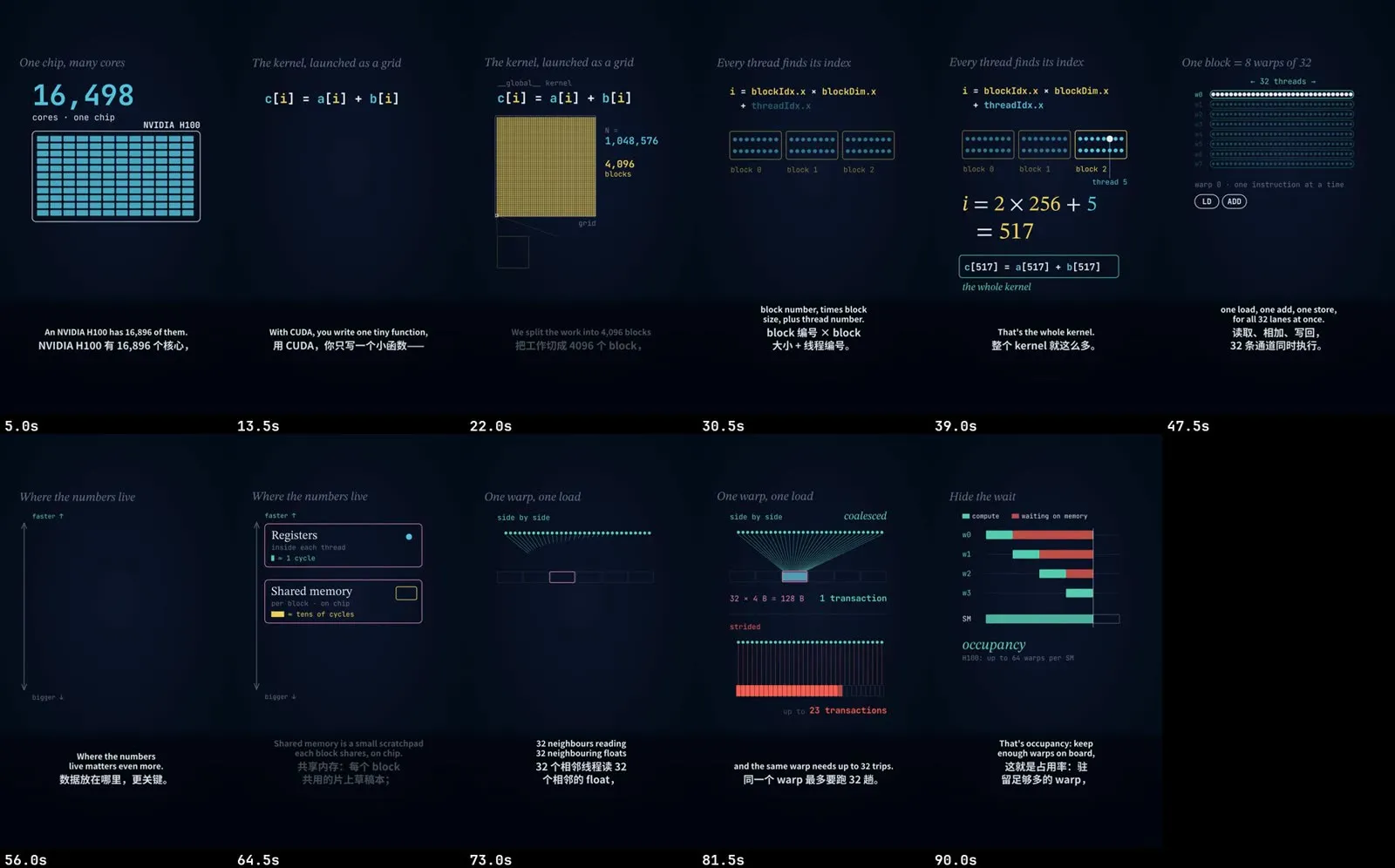
You get an animated concept explainer built from a topic: a script you approve, AI narration, colour-coded animated scenes, burned English and Chinese subtitles plus .srt files, transitions and a quiet music bed. Make it as a 5–12 minute 16:9 film for YouTube or B站, or as a 60–120 second vertical short for 小红书, 抖音, Shorts or TikTok.
Before you start
Section titled “Before you start”- A topic, and any notes you want covered. An existing
SCRIPT.mdworks too. - Node with
npx hyperframesworking. Scenes are HTML compositions rendered to video by HyperFrames. Without it, this recipe can’t render. - A narration voice. The default is OpenAI text-to-speech, which needs an
OPENAI_API_KEY(about $0.015 per minute of narration withgpt-4o-mini-tts). - Fonts for the subtitles:
./install.shdownloads open-licensed ones (Noto Sans SC, STIX Two Text). - Optional: a music file of your own for the bed.
This is the most hands-on recipe. The script, storyboard and subtitle pairs are drafted for you, but the animated scenes are written by an AI agent (your Claude Code or Codex), and you check them at each step.
In the Mac app
Section titled “In the Mac app”- On Home, describe the explainer in the request box: the topic, who it’s for, long or short, and where it goes.
- The plan shows the explainer recipe, the platforms (the first one sets the canvas), the voice and long or short. Adjust it in plain words.
- The project stops in your Inbox at each decision:
- Lock the script. One spoken English line per scene, with its Chinese subtitle. Numbers are written the way they are spoken.
- Approve the storyboard. One frame per scene with its timing and motion.
- Pick the voice. Choose the voice and speed and see the cost estimate before any paid narration runs.
- Check the subtitle pairs. English chunks paired with their Chinese, with questionable pairs flagged.
- Scenes are built, previewed and rendered, then exported per platform with a cover and post copy.
With the Claude Code skill
Section titled “With the Claude Code skill”Ask for an explainer and the skill follows workflows/explainer. Claude asks once about length, destination and subtitle layout, then works in stages and stops at each one for you:
- Script (
SCRIPT.md), with every number in the worked example checked first. - Sketches: one still per scene at its most complete moment, drawn with the real fonts and colours.
- Voice: a 10–15 second sample, then the full narration. Every take is transcribed and compared with the script, and a take that dropped a sentence is regenerated.
- Bilingual subtitles aligned to the narration.
- Scenes in HyperFrames, checked with snapshots, then a preview link. It renders only after you approve.
To deliver one render to several platforms:
python3 -m vstudio.export renders/short.mp4 --platforms xiaohongshu:full,douyin,youtube-shorts \ --out exports/ --cover cover.pngLong film or vertical short
Section titled “Long film or vertical short”| 16:9 explainer | Vertical short | |
|---|---|---|
| Length | 5–12 min, 12–18 scenes | 60–120 s, 5–8 scenes of up to about 14 s |
| Shape | hook → intuition → one worked example → variants → recap | a hook in the first 2 seconds → one core picture → one worked example → a one-line payoff |
| Voice | about 175 words per minute | about 10 % faster, shorter first sentence |
| Canvas | 1920×1080 | 9:16 (xiaohongshu:full, douyin, youtube-shorts, tiktok) or 3:4 (xiaohongshu:vertical) |
One 9:16 build can ship to 小红书 full-screen, 抖音, Shorts and TikTok. A 3:4 version needs its own build. The 16:9 film is never reframed into 9:16, because the maths and captions would be cut off.
Options worth knowing
Section titled “Options worth knowing”| Option | Default | What it does |
|---|---|---|
| Mode | long | long (5–12 min) or short (60–120 s). |
| Platforms | YouTube, B站 | The first platform decides the canvas and the caption box. |
| Voice | cedar |
OpenAI TTS voice; you approve a sample first. |
| Voice speed | 1.0 | 0.7–1.4. Shorts usually run at 1.1. |
| Render quality | standard | draft, standard or high. |
| Music bed | auto | A calm bed chosen for the topic, ducked under the voice, or your own file. |
Example prompts
Section titled “Example prompts”- “Make a 3Blue1Brown-style explainer on how model quantization works, about seven minutes, for YouTube and B站.”
- “Vertical short explaining how CUDA runs on a GPU, under two minutes, English narration with Chinese subtitles.”
- “Use my notes in this file as the outline. Keep one worked example with the same numbers all the way through.”
- “Scene 4 feels crowded. Make the graphic bigger and move the result line down.”